All games
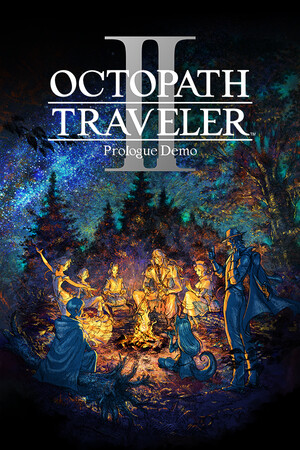
OCTOPATH TRAVELER II Prologue Demo
Needs attention on Mac
How to play OCTOPATH TRAVELER II Prologue Demo on Mac
OCTOPATH TRAVELER II Prologue Demo runs on Pixel Port's runtime with some caveats, so we have it marked needs attention while we smooth it out.
Download & play OCTOPATH TRAVELER II Prologue DemoWhat you need
- OCTOPATH TRAVELER II Prologue Demo, owned on your own Steam account
- Apple Silicon (M1 or newer)
- macOS 14+
From Windows game to Mac launch
- 01
Install Pixel Port
Download Pixel Port and let it set up the runtime on first launch.
- 02
Add OCTOPATH TRAVELER II Prologue Demo
Sign in to your Steam account and click Install & Play. Steam downloads the Windows build you already own, and Pixel Port configures it for your Mac automatically.
- 03
Play
Launch it from your Library. No bottles, no winetricks, no terminal.
More games that run on Mac
- Dark Souls: Remastered

Dark Souls: Remastered
- Ori and the Will of the Wisps

Ori and the Will of the Wisps
- Ori and the Blind Forest: Definitive Edition

Ori and the Blind Forest: Definitive Edition
Common questions
- Does OCTOPATH TRAVELER II Prologue Demo run on Mac?
- OCTOPATH TRAVELER II Prologue Demo runs on Pixel Port's runtime with some caveats, so we have it marked needs attention while we smooth it out. Its current grade is needs attention for Apple Silicon Macs. OCTOPATH TRAVELER II Prologue Demo is built on Other, and Pixel Port's runtime translates its rendering to Metal automatically.
- Do I need to own OCTOPATH TRAVELER II Prologue Demo on Steam?
- Yes. Pixel Port does not sell, host, or distribute games. OCTOPATH TRAVELER II Prologue Demo downloads through Steam, to your own Steam account, exactly as it would on a PC — you need to own it there first. Pixel Port is the compatibility layer that runs the Windows build Steam delivers.
- Do I need Windows, Boot Camp, or a VM to play OCTOPATH TRAVELER II Prologue Demo on Mac?
- No. Pixel Port runs the Windows build of OCTOPATH TRAVELER II Prologue Demo directly on macOS — no Boot Camp partition, no virtual machine, and no Windows license.
- Which Macs can run OCTOPATH TRAVELER II Prologue Demo?
- Any Apple Silicon Mac — M1 through M4, MacBook Air to Mac Studio — on macOS 14 or later.